
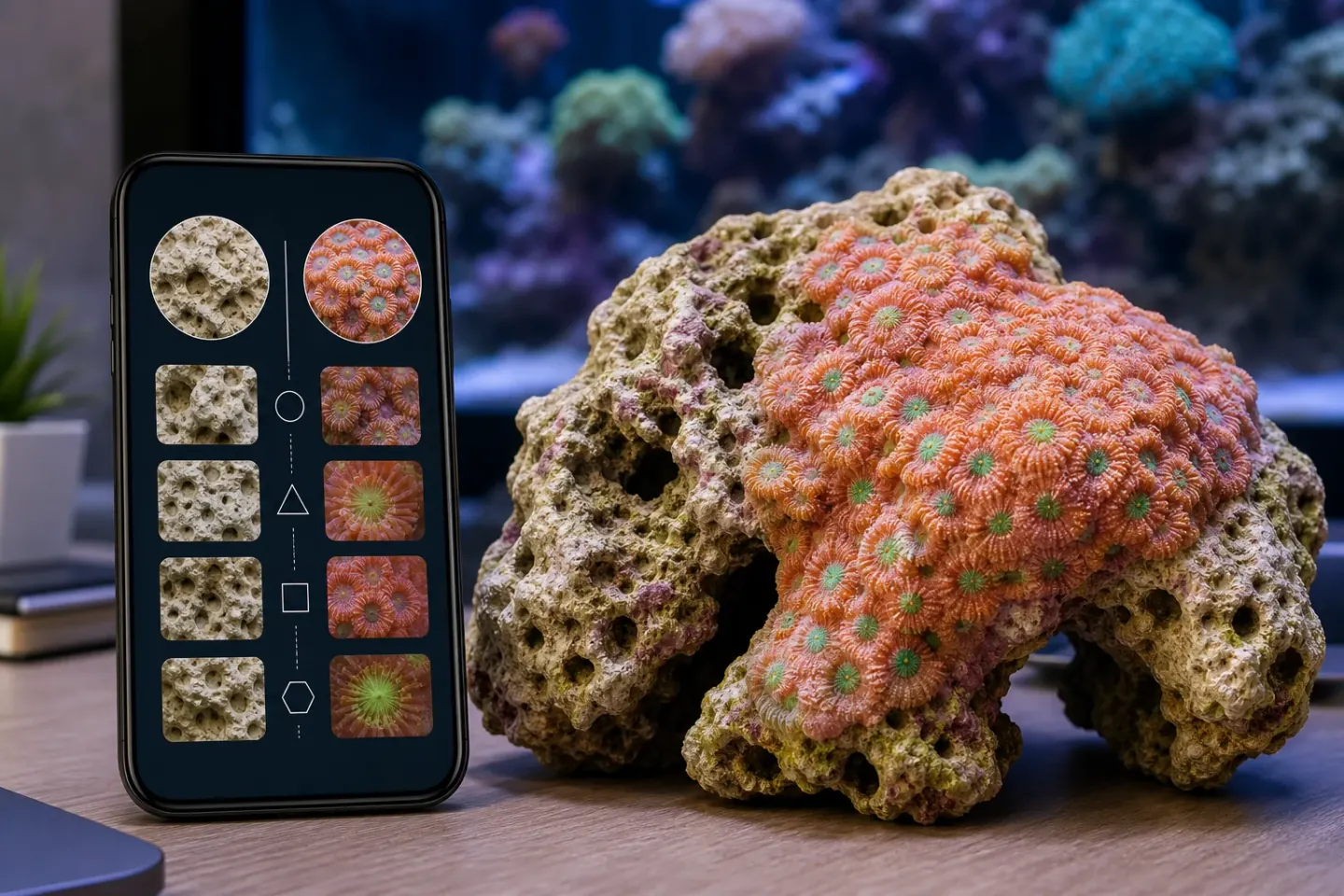
Short Answer
- Use IdentifyRock for rocks, minerals, or generic visual search around non-living hard surfaces.
- Use Coral Identifier for living reef corals where polyps, tissue, growth form, and care context matter.
- Coral skeleton clues can help ID stony corals, but living coral is not just a rock texture problem.
- If the photo is of live rock rather than a coral, use a reef-specific live-rock or hitchhiker workflow instead of forcing a coral ID.
Quick answer
A rock identifier may help with rocks, minerals, or generic visual search. It can be useful when the subject is inert, geological, or not clearly a living coral.
Coral Identifier is the better fit for living reef corals because the useful evidence includes polyps, tissue extension, growth form, skeleton clues, lighting distortion, and aquarium care context.
Use IdentifyRock if...
- The subject is a rock, mineral, shell, or non-living hard surface.
- You are doing broad visual search rather than aquarium coral identification.
- You are not making a coral placement, lighting, aggression, or buying decision.
- You only need a generic guess about a hard object in a photo.
Use Coral Identifier if...
- The subject has coral tissue, visible polyps, tentacles, mouths, or colony growth.
- You need likely coral matches from a reef tank or store-frag photo.
- You want care context connected to the likely coral group.
- You need uncertainty handling for blue lighting, immature frags, or retracted tissue.
Feature comparison
| Category | IdentifyRock | Coral Identifier | Best fit |
|---|---|---|---|
| Primary job | Rock, mineral, or generic hard-object identification. | Living reef coral photo identification. | Choose based on whether the subject is rock or coral. |
| Living tissue | Not the main evidence in a rock workflow. | Core evidence: polyps, tissue, tentacles, mouths, and colony form. | Coral Identifier. |
| Skeleton clues | May notice hard texture but may miss coral-specific context. | Uses skeleton/base clues as one part of coral ID. | Coral Identifier. |
| Live rock | May help with rock-like surfaces but not reef hitchhiker context. | Not a live-rock calculator, but can help if the subject is actually coral. | Depends on the subject. |
| Care decisions | Not built around coral care assumptions. | Connects likely coral groups to cautious care context. | Coral Identifier. |
Why coral is not just rock
Stony corals build hard skeletons, but the living animal is more than the skeleton. Polyp shape, tissue texture, mouths, tentacles, colony edge, and growth over time can matter as much as the hard structure.
That is why a rock-style classifier can be the wrong tool for a living coral photo. It may focus on surface texture while missing the reef aquarium traits that separate similar coral groups.
Where a rock identifier wins
A rock identifier wins when the subject is actually a rock, mineral, or inert material. If you are not looking at living coral tissue, a coral ID app is the wrong first tool.
It can also be a useful generic visual-search fallback when the photo contains a hard object that does not show polyps, tentacles, mouths, or clear coral growth.
Where Coral Identifier wins
Coral Identifier wins when the photo shows a living reef coral. A torch, hammer, zoanthid, mushroom, Montipora, chalice, or leather coral is not just a texture; it is a living colony with traits that change under flow, lighting, and stress.
The app is also better aligned with reef decisions. A likely coral group can affect placement, flow, light, and aggression spacing, while a rock label cannot provide that context.
Accuracy and uncertainty
- If the photo lacks visible tissue or polyps, a coral ID may be impossible.
- If only skeleton is visible, use skeleton clues cautiously and avoid assuming the living coral ID.
- If the subject is live rock with hitchhikers, identify the visible organism rather than the rock.
- Use multiple photos and reef-specific references before making care decisions.
Try Coral Identifier on your own tank photos
Capture a clear photo, review likely matches, and build better coral ID confidence over time.


Sources
References and further reading
FAQ
Frequently asked questions
01Can IdentifyRock identify coral?+
It may return a broad visual guess for hard surfaces, but living coral ID needs tissue, polyp, growth-form, and reef context that a rock identifier may not prioritize.
02Is coral a rock?+
No. Stony corals build calcium carbonate skeletons, but the coral itself is a living animal colony. Soft corals may not look rock-like at all.
03Which app should I use for live rock?+
If the question is rock quantity or aquascape planning, use a reef tank live-rock workflow. If the question is a visible living coral or hitchhiker on the rock, use an organism-focused ID workflow.
04Can one photo of a skeleton prove a coral species?+
Usually not. Skeleton clues can help, but living tissue, colony form, and multiple references are often needed for confidence.