
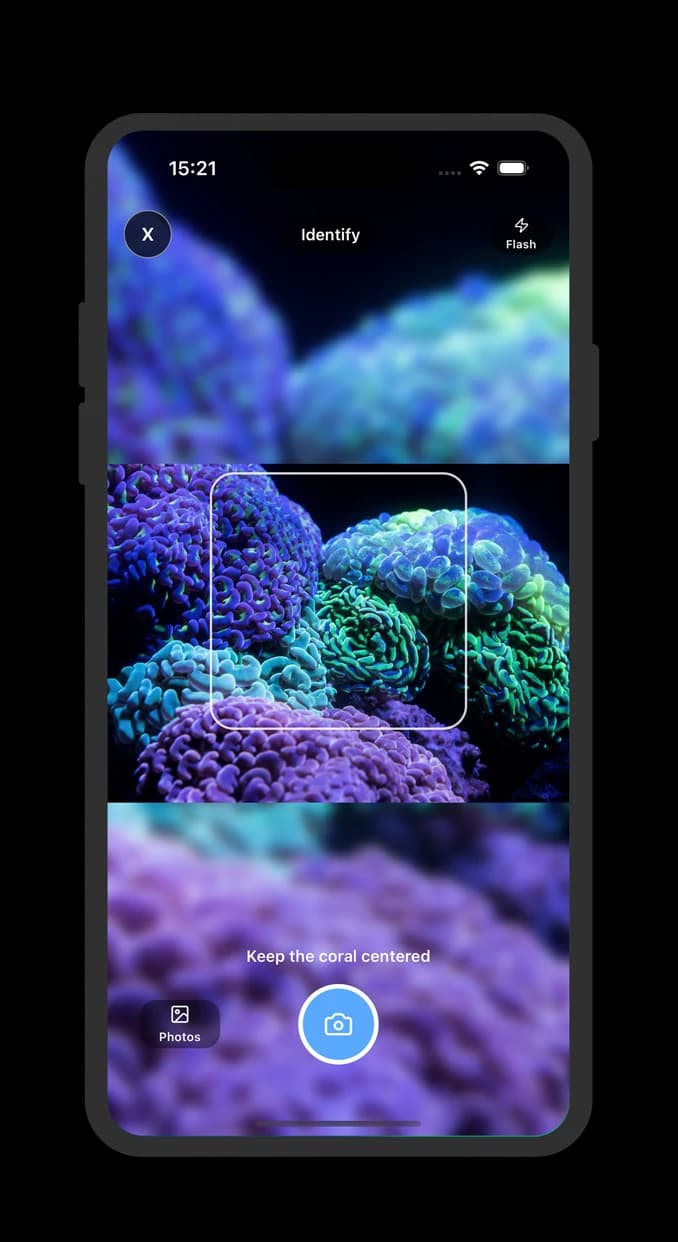
Short Answer
- For reef tank photos, start with a coral-specific app that shows confidence and care context. Generic object scanners are usually weaker for coral morphology.
- The current app-store market is still thin: several coral apps exist, but public rating counts are small, so ratings alone are not enough evidence.
- The strongest app is the one that can say 'uncertain', explain visible traits, and help you retake better photos instead of forcing a species name.
- Use any app as a shortlist tool. Verify with growth form, polyp shape, skeleton clues, multiple photos, and trusted coral references before changing care decisions.
Quick verdict: match the app to the task
There is no single best coral app for every reef keeper. A beginner trying to identify a new frag needs a different tool than a hobbyist tracking alkalinity, a diver recording wild observations, or someone checking scientific taxonomy.
This page is published by Coral Identifier, so the recommendation is deliberately framed as a decision guide rather than a fake neutral award list. The useful question is: which type of app helps you make a safer identification decision?
| Your goal | Best fit | Why it works |
|---|---|---|
| Identify an aquarium frag from a photo | Coral-specific photo ID app | Reef photos need coral morphology, confidence handling, and aquarium care context. |
| Learn whether a coral is LPS, SPS, soft coral, zoanthid, or mushroom | Coral app with trait explanations | Broad grouping is often more reliable than forcing a species-level answer from one image. |
| Track parameters, livestock, and maintenance | Aquarium tracker or reef log app | Logging apps help husbandry, but they are not automatically strong coral photo ID tools. |
| Record wild reef life for biodiversity | Community nature platform such as iNaturalist | Community review is useful for wild organisms, but aquarium trade names and frag history usually need different context. |
| Check scientific taxonomy | Reference databases such as Corals of the World or WoRMS | Taxonomy references are better for verification than instant photo identification. |
What the app-store market looked like in June 2026
A June 14, 2026 check of public US App Store search results for 'coral identifier', 'coral identification', and 'reef aquarium coral' showed a small and uneven category. That matters because a high-quality coral ID workflow cannot be inferred from an app name alone.
The useful signal is not just the star rating. In this niche, many coral-specific apps have very few public ratings, while broader plant, object, or reef-shopping apps may have thousands of ratings but solve a different problem.
| App or tool type | Observed market signal | How to interpret it |
|---|---|---|
| Coral Identifier: Reef Corals | Listed as a free Reference app, released January 22, 2026, updated April 22, 2026, with confidence-based coral photo ID language. | Best evaluated on whether it gives useful likely matches, care context, and honest low-confidence handling on your own coral photos. |
| New coral-specific scanner apps | Several recently listed coral apps used similar promises around AI identification, reef care guidance, placement tips, and scan history. | Treat new listings cautiously until they prove useful on known corals and show clear limits around low-confidence photos. |
| Fish-plus-coral identifier apps | Some tools combine fish, coral, and reef-life identification in one product. | Mixed scope may be useful for broad reef learning, but it should be tested against known corals before relying on unknown frags. |
| Reef reference and aquarium-tracking apps | Reef reference, livestock, parameter, marketplace, and logging apps appeared around the same searches. | Useful for reef context and care notes, but not the same as image-based coral identification accuracy. |
| Generic plant, object, rock, or 'identify anything' scanners | These apps often had far more public ratings than coral-specific tools. | Large rating counts show market maturity, not coral expertise. Treat them as fallback visual search tools, not coral ID authorities. |
A practical scoring rubric for coral ID apps
Use this rubric before trusting any app result. It turns vague marketing claims into observable product behavior.
| Criterion | Good sign | Warning sign |
|---|---|---|
| Coral-specific scope | The app talks about LPS, SPS, soft corals, zoanthids, mushrooms, lighting, flow, and reef tanks. | The app mostly identifies plants, rocks, pets, or generic objects and only happens to accept coral photos. |
| Confidence handling | It shows uncertainty, likely candidates, or refuses weak photos when evidence is poor. | It always gives one confident species name, even for blue-heavy, blurry, or retracted corals. |
| Photo guidance | It encourages reduced-blue lighting, side angles, clear focus, and multiple photos. | It accepts any actinic glamour shot without warning that color can mislead identification. |
| Trait explanation | It connects suggestions to visible morphology such as growth form, polyp shape, skeleton, or colony edge. | It returns only a name and care paragraph with no reason for the match. |
| Care usefulness | It gives broad care context while preserving uncertainty about exact species or trade names. | It gives precise placement, lighting, or aggression advice from a weak ID without caveats. |
| Transparency | Pricing, data use, subscriptions, and limitations are easy to find before you depend on the app. | The app hides important limits behind screenshots, trials, or vague AI claims. |
Specific coral app comparisons
If you are already comparing named tools, use a direct comparison instead of a generic ranking.
Test any app with five known corals first
The fastest way to judge a coral ID app is to run it on corals you already know. Do not start with your mystery frag. Start with a controlled set from your own tank or from photos where the broad ID is already reliable.
A good app does not need to be perfect on every coral. It needs to behave honestly when the evidence is weak and consistently enough to help you decide what to verify next.
| Test photo | What a useful app should do | What counts as a failure |
|---|---|---|
| Torch, hammer, or frogspawn under normal reef lighting | Separate the Euphyllia-type group or give close alternatives with uncertainty. | Confidently names a rare trade morph from one photo. |
| Same coral with blues reduced or white balance corrected | Stay reasonably stable or explain that lighting changed the visible evidence. | Swings to an unrelated group only because fluorescence changed. |
| Zoanthids or palythoas with visible mat and oral discs | Discuss polyp size, mat structure, or broad zoa/paly uncertainty. | Treats color pattern as enough for a precise named morph. |
| SPS frag with branch tips and base visible | Keep the result broad if axial and radial corallite detail is not visible. | Claims exact Acropora species from a small, filtered frag. |
| Retracted or stressed coral | Warn that the photo is poor for ID and suggest a retake later. | Returns a confident answer from tissue that is not extended normally. |
Where AI coral identification still struggles
Corals are harder than many plants or pets because aquarium photos often distort the exact traits used for identification. Blue LEDs, phone sharpening, flow, tissue extension, and frag maturity can change what the model sees.
Trade names add another problem. A name used by a seller may describe a color morph, lineage, or marketing label rather than a strict species. The app can help you narrow the group, but it should not pretend that every photo proves a named strain.
- Heavy blue light can exaggerate fluorescence and hide skeleton or tissue edges.
- Fresh frags may not show mature colony structure, especially for SPS and encrusting corals.
- Retracted polyps can make similar LPS or soft corals look unrelated to their normal appearance.
- Color morphs and vendor trade names are not the same as taxonomic identification.
- A single top-down photo usually lacks the base, wall, branch, or colony-edge context needed for confidence.
The safest workflow after an app result
Treat the app output as a shortlist, not a verdict. The best apps reduce research time by telling you where to look next. They do not remove the need to compare visible traits against reliable references.
For care decisions, the safest label is often a broad one. If an app says a coral might be a hammer, frogspawn, or torch, manage it like a Euphyllia-type LPS until better evidence appears instead of changing care based on a narrow species guess.
- Take three photos: normal tank lighting, reduced-blue lighting, and a side angle showing the base or colony edge.
- Record the app's top candidates and confidence, then write down which visible traits support or weaken each candidate.
- Check a taxonomy or reference source for the broad group before relying on exact species names.
- Use reef-community feedback when the result affects placement, aggression spacing, or a purchase decision.
- Revisit the ID after two to four weeks of stable growth, especially for small frags.
Try Coral Identifier on your own tank photos
Capture a clear photo, review likely matches, and build better coral ID confidence over time.


Sources
References and further reading
FAQ
Frequently asked questions
01What should I look for in a coral identification app?+
Look for coral-specific scope, confidence handling, photo-quality guidance, multiple likely candidates, and explanations tied to visible coral traits. Avoid apps that present every result as final.
02Can a coral ID app identify species from one photo?+
Sometimes it can suggest a likely group, genus, or species-level candidate, but one photo is often not enough for confidence. Multiple angles and reduced-blue lighting improve the result.
03How should I test a coral identification app?+
Run it on at least five corals you already know, using normal lighting and reduced-blue photos. If it cannot give useful results for known examples in your tank, treat unknown-coral results cautiously.
04Should I trust app results over reef hobbyist verification?+
No. App results are useful starting points, but visible morphology, repeated observation, trusted references, and experienced hobbyist input still matter.
05Are generic plant or object identifier apps good for coral ID?+
They can be useful as broad visual search tools, but they are usually weaker than coral-specific apps for aquarium photos because they lack reef context, coral care assumptions, and morphology-specific warnings.